
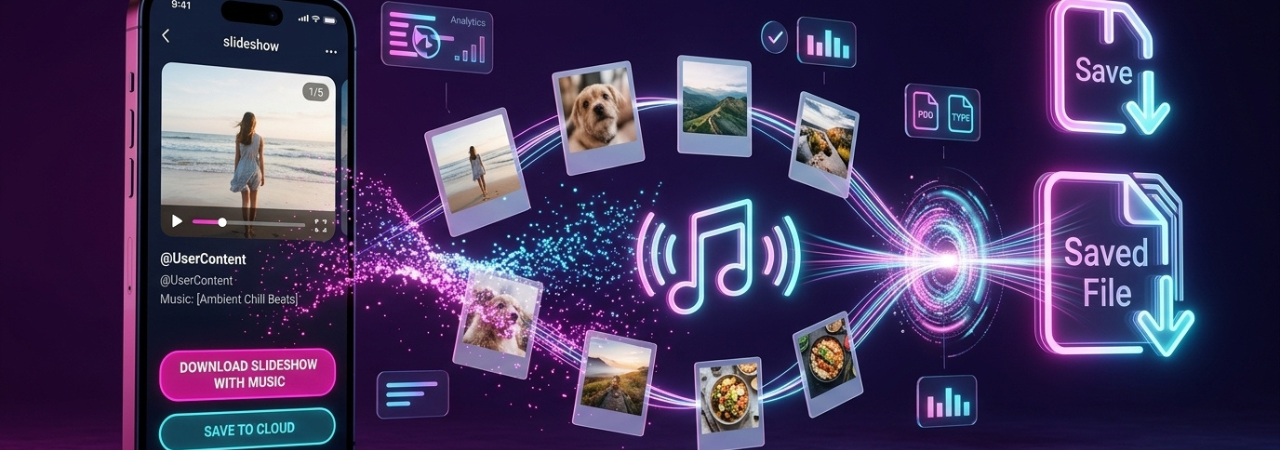
TikTok photo posts and slideshows are easy to watch, but downloading them correctly is more complicated than standard video downloads. TikTok officially explains how to save videos and how to save photo posts, yet its help documentation treats those as separate actions. That is why many users end up with a folder of images, but no synced music, or with a link that works for normal videos but fails for slideshows.
If your goal is the audio only, not the slideshow itself, go straight to How to Download TikTok MP3 & Audio: Step-by-Step. That page is the better fit for soundtrack extraction. This article is specifically about saving the slideshow and the music together as a usable file.
Direct Answer: To download a TikTok slideshow with music, copy the slideshow’s share URL, use a browser-based workflow that exports the post as a rendered MP4, and choose the video option rather than saving photos only. If you save the images separately, you usually will not keep the synced music. If you only need the soundtrack, use an MP3 workflow instead.
What Makes TikTok Slideshows Different From Normal Videos
A TikTok slideshow is often a photo post or photo mode post, not a standard video file. TikTok’s official help page explains that users can save videos one way and save photos another way. It also states that if the creator does not allow downloads, the save option may not appear at all. In other words, the platform itself separates “save the photos” from “save a playable media file,” which is the core reason this topic confuses users.
That separation also explains a major search-intent gap: users are not just asking how to save the content. They are asking how to save it with the music intact. In forum discussions, people repeatedly say they want the slideshow “as video with sound,” not as loose images. Some users also report that the wrong URL format causes failures, especially when they copy a browser address instead of the share link.
Requirements Before You Start
Before you begin, make sure you have:
- a valid public TikTok slideshow URL
- a browser such as Chrome, Safari, Edge, or Firefox
- enough storage for an MP4 file
- permission to use the content if it is not your own
- a clear goal: MP4 for slideshow + music, MP3 for audio only
Quick Goal Check
| What you want | Best output | Best destination |
|---|---|---|
| Slideshow + music together | MP4 | This page |
| Audio only | MP3 | TikTok MP3 & audio guide |
| Standard TikTok video | MP4 | No-watermark TikTok video guide |
| Better editing source for creators | HD MP4 | TikTok for CapCut editing |
Step-by-Step: How to Download a TikTok Slideshow With Music
1) Open the slideshow in TikTok
Find the photo post or slideshow you want to save. Confirm the post is still public and viewable.
2) Copy the share URL
Use the Share button in TikTok and copy the link from there. This matters because forum users report that some slideshow tools fail when they use the wrong URL format, while the share URL works more reliably than a generic browser URL.
3) Paste the link into your browser-based downloader
Open the downloader in your browser and paste the TikTok link. For mobile users, Safari and Chrome are usually the simplest options.
4) Choose the correct file type
This is the step most users get wrong.
- If the page offers photos/images, that usually saves the slides only
- If the page offers video/MP4, choose that if you want the slideshow rendered with music
- If the page offers audio/MP3, use that only if you want the soundtrack by itself
5) Download the MP4 and test playback
Before moving the file into Photos, CapCut, cloud storage, or another app, press play and confirm the audio is actually embedded.
6) Save or move the file on your device
On desktop, save the file to Downloads or your preferred folder. On iPhone, files commonly land in the Files app first rather than Photos, which is why many users think the download failed when it actually succeeded. For a deeper mobile walkthrough, see How to Download TikTok Videos Without Watermark on iPhone.
The Most Important Insight Competitors Miss
The real decision is not “Which downloader should I use?” It is: do you want the slideshow as a video, or do you want the audio by itself?
Many competing articles blur those intents together. That creates user frustration and keyword cannibalization. Your content should separate them clearly:
- Slideshow with music = MP4 workflow
- Audio only = MP3 workflow
- Photos only = image-save workflow
That distinction also reinforces the parent pillar naturally. If the user only wants the soundtrack, the correct next step is the parent guide: How to Download TikTok MP3 & Audio: Step-by-Step.
Common Mistakes
Saving photos instead of the rendered slideshow
TikTok officially supports saving photo posts when the creator allows it, but that does not mean you are saving a finished video with embedded sound. If the tool gives you individual images, do not expect the music to come with them.
Using the wrong link
If a slideshow fails to process, the first thing to check is the URL. Users in community threads specifically mention that the share URL works better than copying a general browser address.
Choosing MP3 when you actually need MP4
MP3 is useful only when the sound is the goal. If you are trying to keep the slideshow visuals and the music together, choose MP4.
Assuming every post is downloadable
TikTok states that the save option can disappear when the creator does not allow downloads. It also notes broader restrictions around who can download and how content can be shared.
Troubleshooting Tips
The slideshow downloads, but there is no sound
This usually means one of three things:
- You saved photos only, not the rendered MP4
- The tool processed the wrong URL
- The post/audio combination was not exported correctly
Start by repeating the process with the share link and choosing the MP4 option.
The Save option is missing in TikTok
If TikTok does not show a save option, the creator may have disabled downloads. TikTok explicitly says that when you do not see the save option, the creator does not allow it.
The file saved, but I cannot find it on iPhone
Check Files > Downloads first. iPhone users often expect media to go straight to Photos, but browser downloads commonly land in Files instead. For the device-specific workflow, see How to Download TikTok Videos Without Watermark on iPhone.
The slideshow looks lower quality than expected
That is usually a source-quality problem, not just a download problem. If quality matters for editing or repost prep, use the highest-quality available source and follow How to Download TikTok Videos in HD/4K Quality.
Platform Limitations You Should Know
TikTok’s editing documentation says a post can include up to 35 items and only one sound per post. It also separates photo saving from video saving, which is why photo-mode content behaves differently from standard clips.
TikTok also explains that when users allow downloads, others can save the content to their device and share it on third-party platforms. If downloads are turned off, people cannot directly download the videos or photos, though links may still be shareable. Private accounts and accounts for users under 16 have stricter defaults around downloads.
Privacy & Safety Notes
A safe workflow should rely on the public TikTok URL, not your TikTok login.
Avoid tools that ask for:
- your TikTok password
- app sideloads or device profiles
- excessive notification permissions
- unrelated redirects or fake download buttons
- payment before basic link processing
A good rule of thumb is simple: if the content is public and the workflow is browser-based, you should not need to hand over account credentials just to test a download.
Copyright Considerations
Downloading a TikTok slideshow is not the same as gaining the right to reuse it. TikTok’s copyright policy says users should only post or reuse original content, or content they are authorized to use, unless a legal exception applies. It also says lack of knowledge is not a valid defense.
Music rights matter even more for business use. TikTok says content that promotes a brand, product, or service should use music from the Commercial Music Library, because music outside that library may not be cleared for commercial use.
Practical rule
- Personal offline viewing: lower risk, but still not ownership
- Reposting or editing someone else’s content: check permission
- Commercial use or brand content: check licensing very carefully
Real-World Scenarios
Scenario 1: You want to repost your own slideshow elsewhere
If it is your content, the cleanest workflow is often to save your original file before posting or keep a master copy outside TikTok. TikTok even recommends saving your own videos or photos to your device before posting so you keep offline copies.
Scenario 2: You want to edit the slideshow in CapCut
Download the slideshow as MP4 first, confirm the audio plays correctly, and then move it into your editor. If your real goal is post-production, use How to Download TikTok Videos for CapCut Editing.
Scenario 3: You only want the music from the slideshow
Do not force a slideshow workflow. Use the audio-specific path instead: How to Download TikTok MP3 & Audio: Step-by-Step.
Scenario 4: You only need the images
Use the photo-save route instead of trying to convert everything into a video file. That is faster and closer to TikTok’s own photo-download behavior.
Edge Cases
- Private or restricted posts: usually not downloadable through public-link workflows
- Deleted or muted audio: the video may save, but the expected sound may not be available
- Browser-specific behavior: desktop browsers tend to be easier for file handling; iPhone often stores downloads in Files first
- Wrong intent problem: users searching for “with music” often actually want “audio only,” which belongs on the MP3 pillar, not this page
Conclusion
Downloading a TikTok slideshow with music is easiest when you separate three outcomes clearly: photos only, slideshow as MP4, and audio only. If you want the slideshow and the sound together, use the share URL and choose the MP4 workflow. If you only want the soundtrack, use the dedicated TikTok MP3 & audio guide. That keeps the process simpler, the content architecture cleaner, and the user journey more precise.
For the broader no-watermark video workflow across every device, see our parent guide on how to download TikTok videos without watermark.
FAQ Section
Can you download a TikTok slideshow with music?
Yes. You need a workflow that exports the slideshow as a rendered MP4. Saving the photos separately usually does not preserve the synced music.
Why does my TikTok slideshow download without sound?
Usually because you saved images instead of the video version, or because the wrong URL was processed.
Does TikTok officially let you save photo slideshows as videos?
TikTok officially explains how to save videos and how to save photos, but its help content focuses on saving photos from photo posts rather than exporting another user’s slideshow as an MP4 with music.
Is MP4 or MP3 better for TikTok slideshows?
MP4 is better if you want visuals plus music. MP3 is better if you only want the audio track.
Why is the Save option missing on TikTok?
TikTok says that if the save option is unavailable, the creator may not allow downloads.
Can I download TikTok slideshows with music on iPhone?
Yes. Use Safari or another browser, then check the Files app if the download does not appear in Photos right away.
Can I save just the photos from a TikTok slideshow?
Yes, if the creator allows it. TikTok’s official flow supports saving individual or multiple photos from a photo post.
Is it legal to reuse TikTok slideshow music?
Not automatically. Downloading is not the same as receiving reuse rights, especially for brand or commercial content.
What if I only want the TikTok audio?
Use the dedicated audio workflow instead of a slideshow workflow: How to Download TikTok MP3 & Audio: Step-by-Step.
What is the most common user error?
Copying the wrong link and downloading the photos-only version instead of the MP4 version.
Can I use the downloaded slideshow in CapCut?
Yes, as long as you download it as a playable MP4 and verify the sound before importing.
What should brands know about TikTok music?
TikTok says brand, product, or service promotion should use music from its Commercial Music Library unless separate rights are secured.