
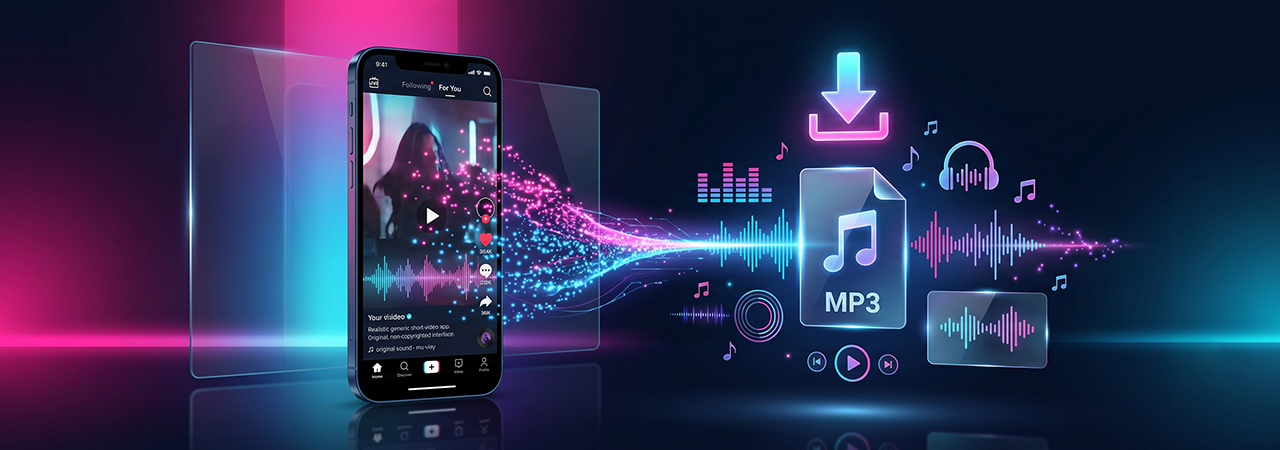
TikTok is built for fast, short-form video, but many users are really trying to save the sound: a voiceover, podcast clip, reaction audio, trend sound, lesson excerpt, or music reference. That is why “download TikTok MP3” is such a strong search topic. The challenge is that users do not all want the same thing. Some want a quick browser-based save, some want audio only, some need iPhone instructions, and others simply want a safe method that does not involve sketchy apps.
TikTok’s own ecosystem supports saving some videos, but not direct MP3 downloads. CapCut’s published guidance also notes that TikTok does not offer a built-in feature to download audio directly as MP3, which is exactly why browser-based or conversion workflows matter for this topic.
Direct Answer: To download TikTok MP3 or audio, copy the public TikTok video link, open a trusted browser-based tool such as ClipSaver.pro’s TikTok MP3 downloader, paste the URL, choose the available audio output, and save the file to your phone or computer. If MP3 is not offered directly, save the video first and convert it to audio in a second step.
Key Takeaways
- TikTok may let you save some videos, but it does not provide a native MP3-only download option.
- A browser-based workflow is usually the simplest approach for public TikTok URLs.
- iPhone, Android, Windows, and macOS handle downloads differently, especially file storage.
- Converting to MP3 does not improve sound quality; it only changes the file format.
- Reusing TikTok audio outside personal use can raise copyright issues.
What “Download TikTok MP3” Actually Means
When users search this phrase, they usually mean one of three things:
- They want the audio track from a public TikTok video.
- They want a sound file that works offline on a phone or laptop.
- They want a more portable format, usually MP3, instead of a full MP4 video.
That matters for SEO and UX because the page should not assume every reader wants the same workflow. Students may want lecture clips. Creators may want reference audio. Marketers may want to review trend sounds. Casual users may simply want offline playback.
How Native TikTok Saving Differs From MP3 Downloading
TikTok’s help documentation describes a native save flow for some videos: open the video, tap Share, then tap Save video when the option is available. In practice, that means TikTok may allow a video save, but not an audio-only MP3 download.
That distinction is important. If your goal is audio only, you are usually choosing between:
- a browser workflow that offers an audio output,
- a video download followed by conversion,
- or saving the sound inside TikTok for in-app use only.
CapCut’s guidance is explicit: TikTok does not provide a built-in MP3 audio download feature.
When ClipSaver.pro Is the Better Fit
If your goal is fast, browser-based downloading without installing extra software, ClipSaver.pro fits the workflow well. Its homepage states that the tool works directly from the browser and does not require app installation, which is especially useful for users moving between phone and desktop.
This makes the page’s ideal use case very clear: public TikTok URLs, users who want a simple no-app process, and readers who care about speed, convenience, and accessibility.
Step-by-Step: How to Download TikTok MP3 & Audio
Method 1: Browser Workflow for Public TikTok URLs
Step 1: Open the TikTok post
Find the TikTok video with the sound you want. Make sure it is a public post and that you can access it normally.
Step 2: Copy the link
Tap or click Share, then choose Copy link.
Step 3: Open ClipSaver.pro
Use your preferred browser and go to our dedicated TikTok MP3 downloader. This method is convenient because it is browser-based rather than app-based.
Step 4: Paste the TikTok URL
Paste the copied link into the input field.
Step 5: Choose the available output
If an audio option is available for that supported URL, choose it. If the workflow gives you video first, save the video and convert it to MP3 in the next step.
Step 6: Save the file
Download the output and confirm where your device stores it:
- iPhone: often Files/Downloads
- Android: usually Downloads
- Windows/macOS: browser download folder unless changed
Step 7: Rename and organize
Rename the file with the creator, topic, or date so you can find it later.
Step-by-Step by Device
On iPhone
- Open TikTok and copy the public link.
- Open Safari or another mobile browser.
- Go to ClipSaver.pro.
- Paste the URL.
- Download the output.
- Check the Files app if the audio does not appear in Photos.
Important iPhone nuance: many users think the download failed when the file simply saved to Files instead of the camera roll. For a full walkthrough of iPhone-specific download behavior, see our guide on downloading TikTok videos without watermark on iPhone.
On Android
- Open TikTok and copy the link.
- Open Chrome, Edge, or another browser.
- Visit ClipSaver.pro.
- Paste the URL and download the audio.
- Open your Downloads folder or notification tray to locate the file.
Android is often the easiest mobile environment for this because file access is more obvious than on iPhone.
On Windows or macOS
- Copy the TikTok URL from the app or web.
- Open a desktop browser.
- Paste the URL into ClipSaver.pro.
- Save the file to your downloads folder.
- Move it into a named folder if you plan to keep multiple sound clips.
Desktop is best when you are organizing several audio references, building lesson material, or reviewing trend sounds for content planning.
Method Comparison Table
| Method | Best For | Pros | Cons |
|---|---|---|---|
| Native TikTok save video | Quick offline video saving | Official, simple, no extra tool | No direct MP3 download; may be disabled |
| Browser-based audio workflow | Fast audio extraction from public URLs | No app install, cross-device, convenient | Depends on public availability and supported output |
| Save video then convert to MP3 | Cases where direct MP3 is unavailable | Flexible fallback | Extra step; slower workflow |
| In-app “favorite sound” use | Creators staying inside TikTok | Safe for in-app reuse | Does not give you a standalone MP3 file |
Feature Table: Device & Browser Compatibility
| Environment | Typical Experience | Common Friction | Best Tip |
|---|---|---|---|
| iPhone + Safari | Clean browser workflow | Files app confusion | Check Downloads in Files |
| Android + Chrome | Usually straightforward | Permission prompts | Allow downloads when prompted |
| Windows + Chrome/Edge | Best for file management | Folder clutter | Save to a named project folder |
| macOS + Safari/Chrome | Good for organizing and renaming | Pop-up/download settings | Confirm browser download location |
| Firefox | Often works well on desktop | Add-on conflicts sometimes | Test a clean tab/session |
Audio Quality, Speed, and Format Expectations
One of the biggest misconceptions in this niche is that converting a TikTok to MP3 somehow upgrades sound quality. It does not. Audio quality depends on the original upload, TikTok’s compression, and the output settings available in the workflow.
Here is the practical rule:
- Original quality in = maximum possible quality out
- MP3 adds compatibility, not magic quality
- Repeated conversions can reduce quality further
If quality matters, keep the workflow short. Do not convert the same file multiple times unless necessary. For tips on maximizing source quality before conversion, see our guide on downloading TikTok videos in HD/4K quality.
MP3 vs Other Audio Outputs
| Format | Best Use | Pros | Cons |
|---|---|---|---|
| MP3 | General offline playback | Universal compatibility | May be lossy |
| M4A/AAC | Modern mobile playback | Efficient, often strong quality-size balance | Slightly less universal than MP3 |
| WAV | Editing/archive workflows | Uncompressed | Large file size |
For most readers, MP3 is still the best default because it works almost everywhere.
Pros and Cons of Downloading TikTok Audio Through a Browser Tool
Pros
- Fast, no-app workflow
- Works across phone and desktop
- Easy for public-link use cases
- Good for students, creators, educators, and marketers
- Fits short “copy, paste, download” intent
Cons
- Not every TikTok URL will behave the same way
- Private, deleted, or restricted posts may fail
- Creator-disabled downloads can limit native options
- Users can misplace files on iPhone or desktop
- Low-quality source audio stays low quality after conversion
Privacy, Copyright, and Safe Downloading Practices
TikTok states that videos and music are protected by copyright and that posting or using someone else’s copyrighted content without authorization can violate intellectual property rules, although some uses may fall under fair use or other legal exceptions.
That means a smart pillar page should separate downloading from reusing. Downloading for private listening, review, or classroom reference may feel low risk, but public reposting, brand campaigns, ads, and commercial reuse are different questions. If you are a business, marketer, or creator, do not assume TikTok availability equals off-platform permission.
Safe Downloading Checklist
- Use reputable browser-based tools only
- Avoid tools that ask for your TikTok login
- Avoid forced extensions, fake buttons, or app installs
- Confirm the file type before opening
- Reuse audio only when you have rights or a legally valid basis
- Be extra careful with music, not just spoken audio
CapCut also warns that unauthorized third-party methods can be risky and may expose users to malware or account problems, which makes trust and restraint a real part of UX here.
Common Errors and How to Fix Them
| Problem | Likely Cause | Fix |
|---|---|---|
| No Save video button in TikTok | Creator disabled downloads or native option unavailable | Use a public-link browser workflow if appropriate |
| MP3 option not shown | Tool only exposes video first | Download video, then convert to audio |
| File downloaded but not found | Saved to unexpected folder | Check Files, Downloads, or browser history |
| Downloaded file has no sound | Source issue, bad processing, muted asset, or broken attempt | Retry with the public URL and test another browser |
| Download won’t start on mobile | Browser permission blocked | Allow downloads/pop-ups if prompted |
| Poor sound quality | Original audio was compressed | Use the cleanest available source and avoid multiple conversions |
| Page fails on one browser | Browser-specific issue or extension conflict | Retry in Chrome, Edge, Safari, or Firefox without extra extensions |
Overlooked Edge Cases Most Competitors Miss
1. Sound-only intent is not always music intent
Many users want voiceovers, lecture snippets, recipe narration, quotes, or product commentary, not songs. Your copy should reflect that broader real-world demand.
2. iPhone storage confusion kills perceived UX
A large percentage of mobile frustration comes from not knowing where the file landed after download.
3. Public visibility matters
If the TikTok is private, deleted, region-restricted, or otherwise inaccessible, the workflow may fail no matter how good the downloader is.
4. “Save video” and “download MP3” are not the same request
Treating them like the same intent causes keyword cannibalization and user confusion.
5. Conversion is not restoration
Users often believe MP3 conversion repairs poor audio. It does not.
Best Practices
- Use clear labels like Copy link, Paste URL, Choose audio, Download file
- Show separate steps for iPhone, Android, and desktop
- Explain where files are stored after download
- Add a visible legal note near the CTA
- Keep the language educational, not hype-driven
- Include troubleshooting on the same page so users do not bounce
Common Mistakes to Avoid
- Promising direct MP3 download from TikTok itself
- Ignoring iPhone file-location issues
- Skipping copyright guidance
- Treating all audio reuse as fair use
- Overusing “free, fast, best” without actual guidance
- Writing only for creators and forgetting students, educators, and casual users
Real-World Use Cases
Students
Save short explanations, pronunciation clips, or study references for offline review.
Professionals
Capture industry commentary, trend analysis, or event snippets for later listening.
Content Creators
Review sound trends, vocal pacing, and hook structure before producing new content.
Educators
Store short public examples for classroom discussion, media literacy, or communication analysis.
Marketers
Track sound trends and creator messaging before building campaign concepts.
Casual Users
Keep favorite speeches, meme audio, or motivational clips for offline listening.
Conclusion
The best TikTok MP3 page does more than tell users to paste a link. It explains the difference between saving a video and extracting audio, shows the exact steps for each device, sets quality expectations, and warns users about privacy and copyright.
If you want the broader all-device method for standard video downloads, see our parent guide on how to download TikTok videos without watermark.
FAQ Section
Can I download TikTok audio directly as MP3 inside TikTok?
No. TikTok may allow some video saves, but it does not provide a native direct MP3 download option.
What is the easiest way to download TikTok MP3?
Usually, copy the public TikTok link, paste it into a trusted browser-based workflow like ClipSaver.pro, choose the available audio output, and save the file.
Why is the Save video button missing on TikTok?
The creator may have disabled downloads, the video may be restricted, or TikTok may not expose that option for the specific post.
How do I save TikTok audio on iPhone?
Copy the TikTok link, open Safari, use a browser-based workflow, download the file, then check the Files app if you do not see it immediately.
How do I save TikTok audio on Android?
Copy the link, open Chrome or another browser, paste the URL into the tool, and save the file. It usually appears in the Downloads folder.
Can I download TikTok audio without downloading the full video first?
Sometimes yes, if the workflow offers direct audio output. If not, the fallback is to save the video first and convert it to MP3.
Is it legal to reuse TikTok audio outside TikTok?
Not automatically. TikTok says music and videos are protected by copyright, so reuse may require permission or another legally valid basis.
Will MP3 conversion improve TikTok sound quality?
No. Converting changes the format, not the quality of the original source.
Why does my downloaded TikTok file have no sound?
The source may be restricted, muted, partially processed, or downloaded incorrectly. Retry the public URL and test another browser.
What browsers work best for TikTok audio downloading?
Modern versions of Chrome, Edge, Safari, and Firefox are usually the safest choices for browser-based workflows.
Can I use TikTok audio for business or ads?
Be careful. Business and commercial use create more licensing risk than personal offline listening or internal review.
Is a browser-based TikTok downloader safer than random apps?
Usually yes, if you use a reputable site, avoid login prompts, and do not install suspicious extensions or APKs.
What is the best format for downloaded TikTok audio?
For most users, MP3 is the best choice because it is widely supported across phones, laptops, and media players.
Can I download audio from private TikTok videos?
Usually no. Public accessibility is a core requirement for most browser-based workflows.
Where do TikTok audio downloads go on iPhone?
Most often to the Files app or your browser’s default downloads location, not to Photos.